How to Choose a Note-Taking App for Research and Writing
Choose a notes app by testing the path a note takes: how fast you can capture it, how easily you find it again, whether its source stays attached, and how it gets into a draft. Questions to ask and a one-week trial.
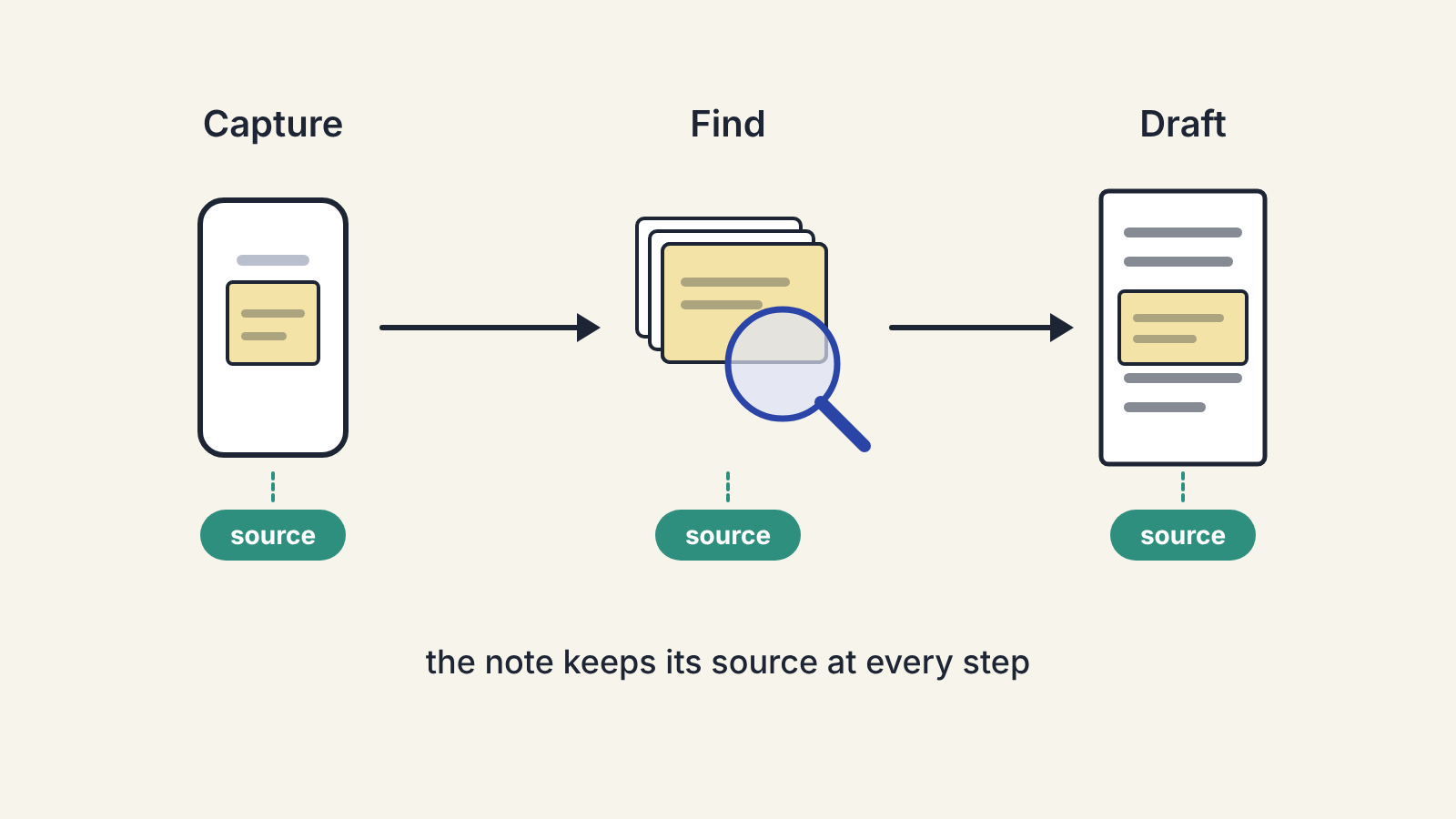
The best note-taking app for a writer is the one that gets a note from the moment you find it to the moment you need it in a draft with the least friction. So choose by testing that path, not by feature lists: capture a few real notes, search for them a week later, and try moving one into a draft. Whichever app makes those three steps easiest for how you work is the right one, whatever its reputation.
Feature lists make every app look capable of everything. What separates them in daily use is a handful of choices about where notes live, how they are organised and how they get back out. Here are the questions that matter, and how to tell which answer suits you.
Start with how you capture
Most notes are lost at capture, not later. If saving a thought takes more than a few seconds, you will skip it when you are busy, which is when good ideas tend to arrive.
Ask yourself where your notes come from:
- Ideas that arrive away from the desk need a fast phone app or widget, ideally one that opens straight to a blank note.
- Quotes and passages from articles need a web clipper or a share option that keeps the link to the source with the text.
- Notes from PDFs, books and papers need highlighting that you can export with page numbers.
- Interviews and meetings may need audio or transcription, or at least a quick way to time-stamp notes.
Pick your two most common situations and test capture in both. An app that is pleasant at the desk but slow on the phone will leave gaps in exactly the places you most need it.
Folders, tags or links
Apps organise notes in roughly three ways, and most support more than one:
- Folders put each note in one place. Easy to understand, and a good fit if your work is organised by project or client.
- Tags let one note belong to several groups. Useful when the same material feeds different pieces, but they need discipline, or you end up with forty near-identical tags.
- Links between notes let you connect ideas directly, building a web you can follow from one thought to the next. Writers who work on long projects or keep a growing body of research often find this the most useful, and it takes the most upkeep.
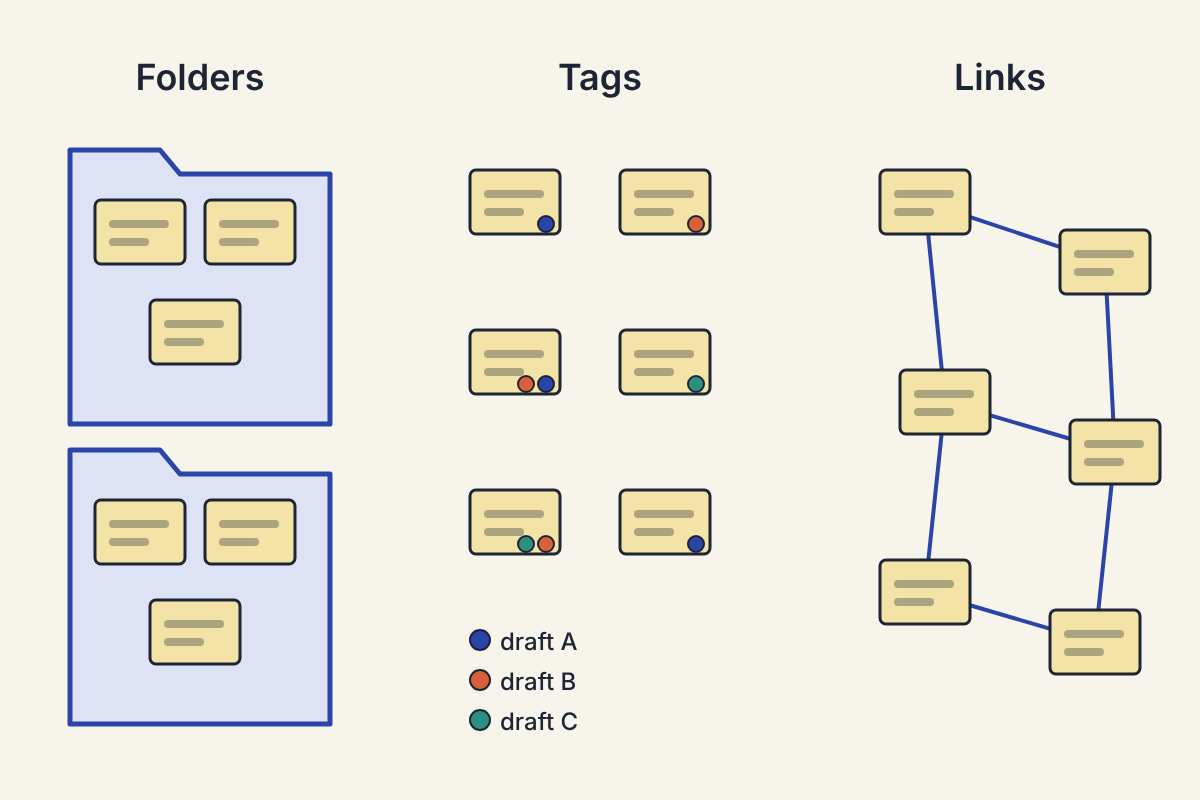
There is no right answer, only a fit. If you have never kept up a tagging system before, a new app will not change that; start with folders and add tags later if you find you need them.
Search is the feature you will use most
A year from now you will have hundreds or thousands of notes, and you will find most of them by search. Before committing, check:
- Does search cover the text inside attachments, such as PDFs and images, or only the note itself?
- Can you search a phrase, and filter by date, folder or tag?
- How fast is it on your phone?
Test this with real material. Put twenty or thirty notes in, wait a few days, then try to find three of them using the words you would actually remember.
Keep the source with the note
For a writer, a note without its source is a liability. When you come to use a quote or a figure, you need to know where it came from, and you will want to check it again before it goes in a draft (our fact-checking routine starts there).
Look for clippers that save the URL automatically, PDF highlights that keep the page number, and a place in each note for the source details. If the app makes this awkward, you will stop doing it.
Getting notes into a draft
Notes are only useful when they become writing. Check how easily you can:
- Copy a note into your writing app without broken formatting.
- See your notes alongside your draft, in a split view or a second window.
- Gather the notes for one piece into a single place to build an outline from.
Some writers draft inside the note app itself. That works well for short pieces and can be awkward for long ones, so try it with the kind of piece you usually write.
AI features in note apps
Many note apps now include an AI assistant that can summarise notes, answer questions about them or suggest links between them. These can save time when you are looking across a large collection. Two cautions:
- A summary of your notes is no substitute for rereading the ones that matter. Summaries drop detail and occasionally misstate it.
- Before turning on any AI feature, read the maker's own pages on how your notes are processed and stored. This matters most if you keep client material, interviews or unpublished work in the app.
If you already use a separate AI assistant, consider whether you need one inside your notes too. Our comparison of grammar checkers and AI assistants covers where an assistant helps most in the writing process.
Can you leave?
Last, check how your notes come out if you change your mind. An app that exports to plain text or Markdown, with attachments in ordinary files, lets you move years of research elsewhere. One that only exports to its own format, or not at all, ties your notes to its future. You do not need to plan to leave, but it is worth knowing you could.
A one-week trial
Pick two candidates that pass the questions above and use both for a week on real work. Capture everything twice if you have to. At the end, the right choice is usually obvious: it is the one you reached for without thinking.
