Grammar Checker or AI Assistant? Which to Use at Each Stage of Writing
A grammar checker changes words; an AI assistant can change what you are saying. Use the assistant early for planning and structure, the checker late for line edits and proofreading, and your own eyes last.
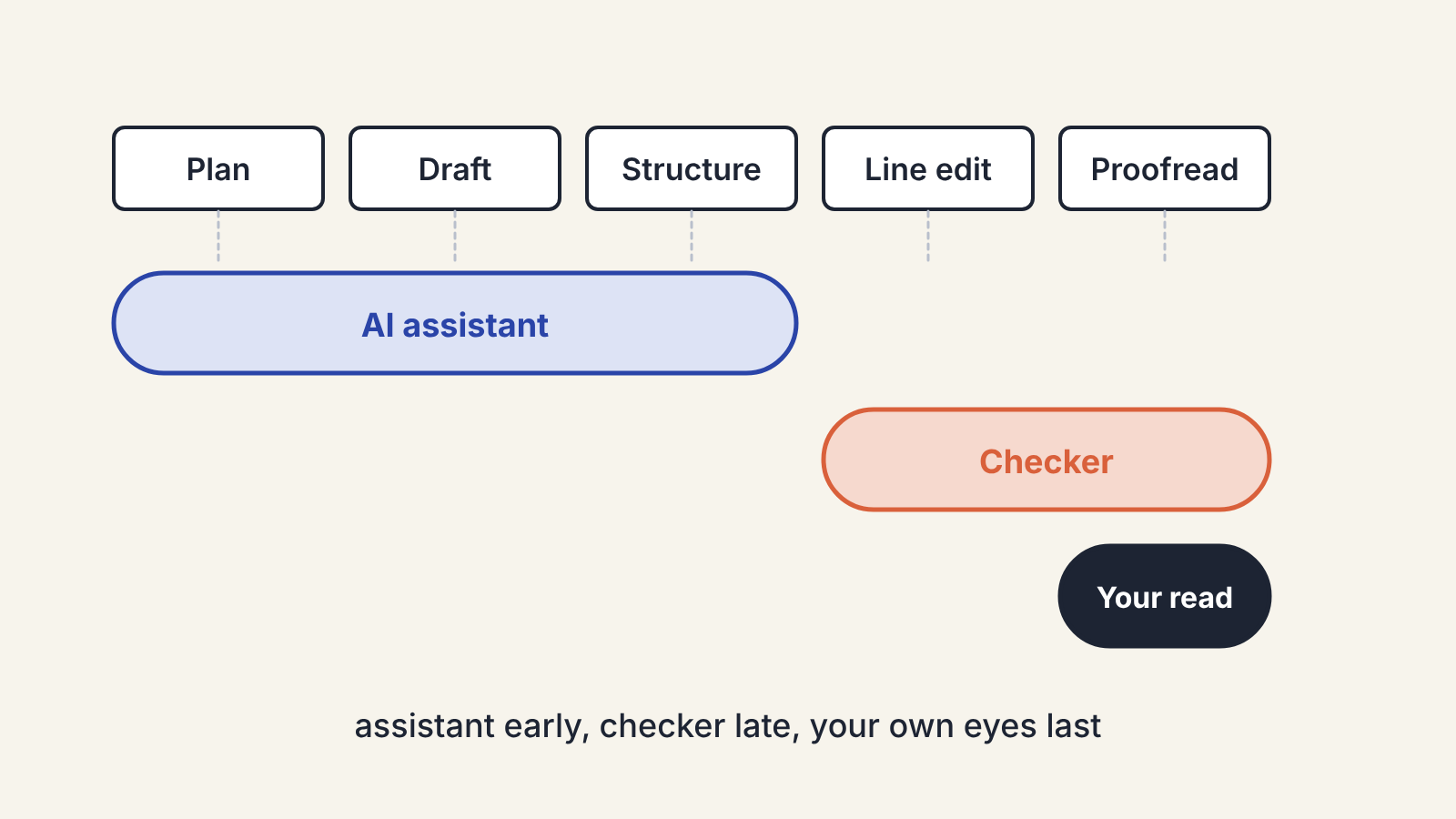
Grammar checkers and AI assistants overlap less than they seem to. A grammar checker is best at the last stage of editing, when the words are settled and you want mistakes caught. An AI assistant is most useful earlier, when you are still deciding what to say and in what order. Using each at the wrong stage is where most frustration with both comes from.
Many products now do a bit of both, so it helps to think in terms of the job rather than the label on the app. Here is how the two kinds of tool differ, and which to reach for at each point in a piece.
What each kind of tool is built to do
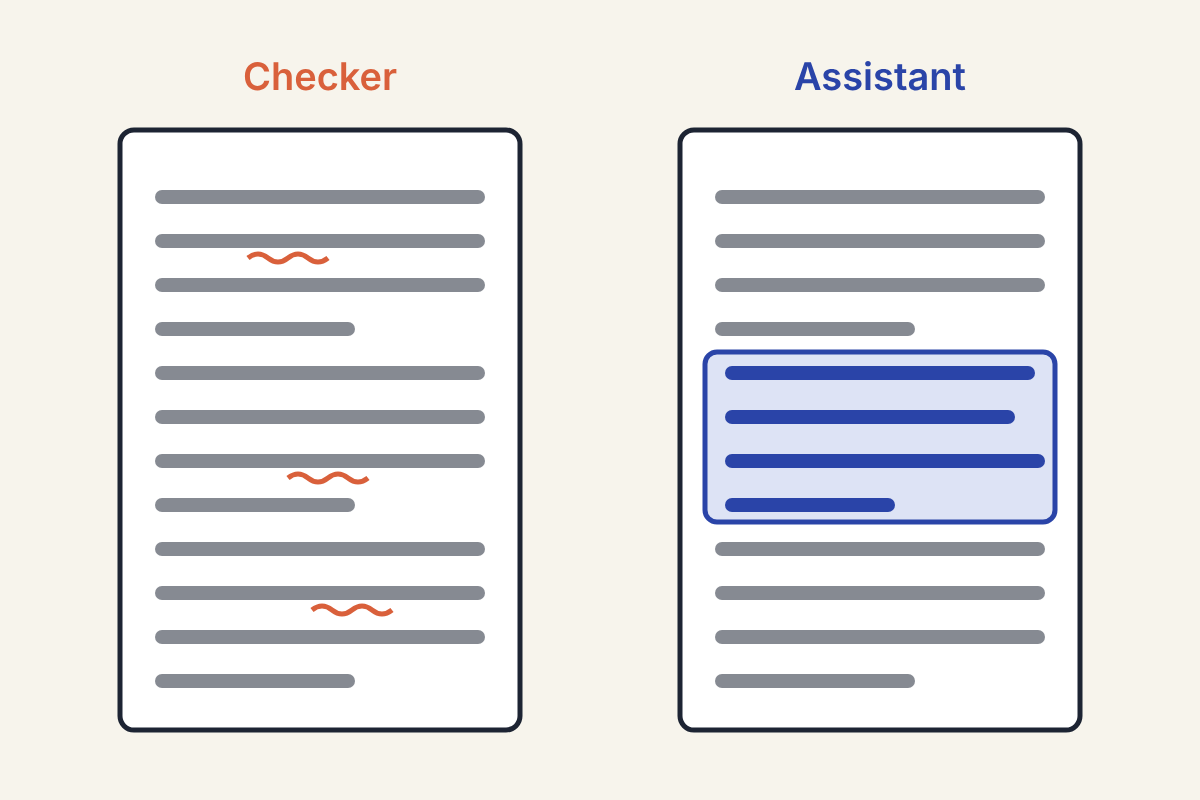
A grammar and style checker reads your text and flags specific problems: spelling, agreement, punctuation, repeated words, overlong sentences, passive constructions. Each suggestion is small and tied to one spot. You accept or reject it, and the rest of your sentence stays as you wrote it.
An AI assistant generates text in response to what you ask. It can rewrite a paragraph, suggest a structure, summarise a source, argue against your point or explain why a sentence is unclear. Its suggestions are larger and less predictable. Ask twice and you may get two different answers.
That difference in size is the whole story. A checker changes words. An assistant can change what you are saying.
Stage by stage: which tool fits
Planning and outlining
Use an assistant, and not a checker. At this stage there are no sentences to correct, only ideas to sort. An assistant can group your notes, point out gaps and raise objections. Give it your angle and your own list of points first, as described in our outlining guide, so it reacts to your ideas instead of replacing them.
Drafting
Mostly neither. Constant underlines while you draft pull your attention to commas when it should be on the argument. If your editor shows checker suggestions as you type, consider turning them off until the draft is done.
An assistant can help when you are stuck on a section: ask it for three different ways to open it, or for the question a reader would have at that point. Take the idea and write the sentences yourself.
Structural editing
An assistant is useful here as a reader. Ask it where the piece loses momentum, which section repeats another, or what a sceptical reader would object to. A checker cannot help with any of this, because it reads sentence by sentence.
Be careful with requests to rewrite whole sections. The result will usually be smoother and blander than what you wrote. Editing an AI-assisted draft so it sounds like you covers how to get the voice back if you do.
Line editing
This is where the two overlap most. Both can point out long sentences, weak verbs and repetition. The checker does it with less risk: it shows you a problem and leaves the fix to you, or offers a small one. An assistant asked to "tighten this paragraph" may also change the meaning, the rhythm and your word choices in one go.
A practical split: let the checker flag issues, and ask the assistant only about the specific sentences you cannot fix yourself.
Proofreading
A checker is the right tool. It is systematic, it reads every line with the same attention, and it does not get tired. An assistant can proofread too, but it may quietly "improve" sentences while it is there. If you use one, ask it to list errors without rewriting anything, then make the changes yourself.
Neither tool replaces a final read of your own. Checkers miss correctly spelled wrong words and flag deliberate choices as errors; assistants miss things and occasionally invent problems.
What to look for in each
When you compare grammar checkers, the useful questions are:
- Does it work where you write: your browser, your word processor, your email?
- Can you tell it about your style choices, such as spelling variant, serial comma or a house style guide, so it stops flagging them?
- Can you add your own words to a dictionary, so names and terms in your field do not light up?
- Does it explain each suggestion, so you learn the rule rather than just clicking accept?
For AI assistants, look at:
- Whether it can work with your own material (notes, earlier drafts, sources you paste or upload).
- How it handles facts, and whether it shows where an answer comes from. Whatever it shows, check claims before they go in your draft; our fact-checking routine takes a few minutes per piece.
- What the maker's own pages say about how your text is stored and used. If you write under an NDA or for clients, read this before pasting anything in.
If you only want one tool
Plenty of writers manage with one. If most of your work is short, clean copy where mistakes are the main risk, a good checker covers most of what you need. If you spend more time stuck on structure and ideas than on commas, an assistant will help more, and you can ask it to proofread at the end with the "list, do not rewrite" instruction.
If you use both, the simple rule is order: assistant early, checker late, your own eyes last.
