One Document, Project App or Plain Text? How to Choose a Writing App for Long Projects
For a book, thesis or long report, choose the shape of the app before the brand: one long document, a project app that splits the work into sections, or a folder of plain text files. Five questions settle it.
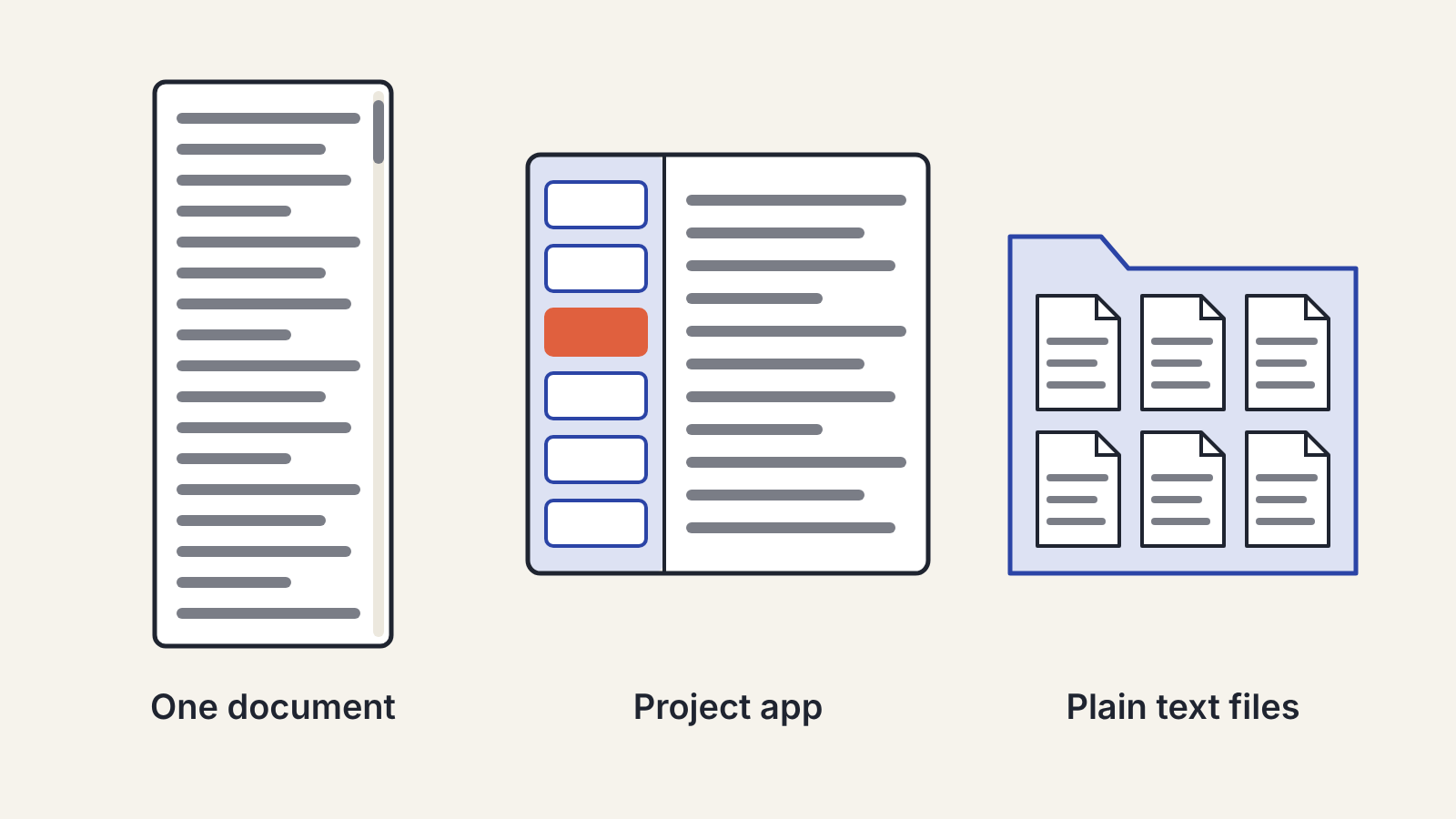
For a long project such as a book, a thesis or a long report, the choice that matters most isn't which brand of writing app you use. It's the shape of the app: one long document, a project app that splits the work into many small sections, or a folder of plain text files. Each shape suits a different kind of writer. Pick the shape first, by how you work, and the list of candidate apps gets short very quickly.
Most writers start a long project in whatever they used for short pieces, usually a word processor, and only notice the problem at chapter twelve, when scrolling takes a minute and moving a scene means cutting and pasting four thousand words.
The three shapes
One long document
A single file in a word processor or an online document editor. Everything is in one place, in order. You can see exactly what the final thing looks like, share it with an editor in a format they already use, and track changes in the way publishers and supervisors expect.
It works well for projects you write roughly in order, up to a length where the file is still comfortable to move around in. Headings and a navigation pane help a lot. It gets painful when you write out of order, keep moving large sections around, or need research notes next to the text.
A project app
A project app (sometimes called a binder or manuscript app) stores the work as many small pieces, such as chapters, scenes or sections, shown in a sidebar. You write in one piece at a time, drag pieces to reorder them, and compile them into a single document when you're done. Many also let you keep research, notes and an outline inside the same project.
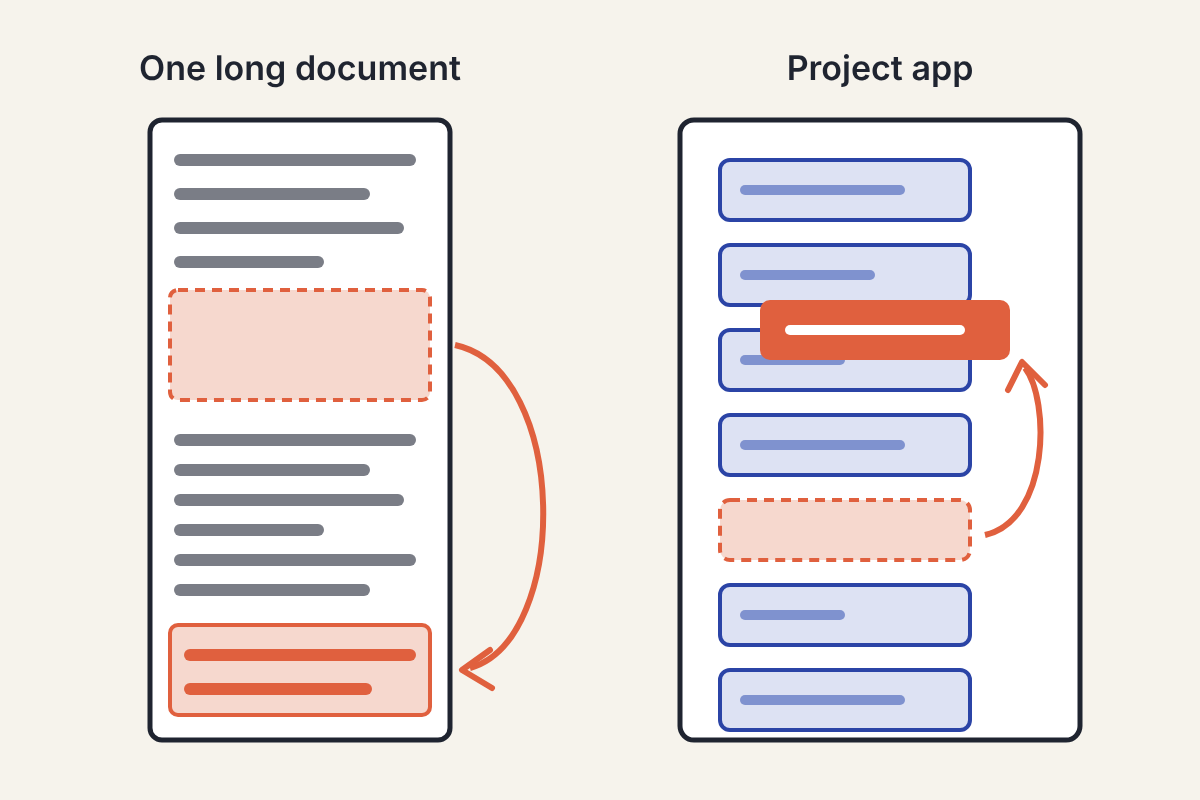
This shape suits writers who draft out of order, restructure often, or juggle a lot of material. The costs: there's a learning curve, collaboration is usually harder than in a shared document, and at the end you have to compile and then check the output, because formatting rarely survives the trip untouched.
A folder of plain text files
Each chapter or section is its own plain text or Markdown file, kept in a folder, edited with any text editor you like. It's the most portable option: the files open in any app on any device, now and in twenty years. Version control and sync work cleanly because each file is small and simple.
It suits writers who are comfortable with files and folders and want no lock-in. The costs: you build your own structure (a naming scheme, an outline file), and producing a formatted manuscript means an export step with a separate tool.
Five questions that decide it
Answer these honestly. Two or three of them usually settle the choice.
- Do you write in order? If yes, one long document stays manageable for much longer. If you jump between parts, a project app or a folder of files will save you hours.
- How often will you restructure? Heavy restructuring is the strongest single reason to move to a project app.
- Who else touches the text, and how? An editor, co-author or supervisor who works in tracked changes will expect a word-processor file. Plan how your drafts get to them, and how their comments get back.
- Where does your research live? If you want notes and sources next to the draft, a project app that holds both may suit you. If your research already lives in a notes app, check that the two connect easily; choosing a note-taking app for research and writing covers that side.
- What format must you deliver? A manuscript for a publisher, a thesis in a university template, an ebook. Check what your app can export before you write a hundred thousand words in it.
Test before you commit
Don't move a whole project on a hunch. Take one real chapter and spend a week with it in the app you're considering:
- Split it into sections, reorder two of them, and see how that feels.
- Add a few research notes and see where they live.
- Export to the format you'll eventually deliver and open the result. Look for broken headings, lost italics, odd spacing and footnotes in the wrong place.
- Try writing on your other devices if you use them, and check that changes sync the way you expect.
Read the maker's own pages for anything you rely on, such as sync, export formats and file storage, rather than going by reviews, which go out of date quickly.
Protect the work whichever you choose
A long project is months or years of work in one place. Whatever the app, have at least one backup that is independent of it: a regular export to another format, or a copy of the project files somewhere separate. Make sure you know how to get your text out in a plain, open format if you ever have to leave the app.
Version history is worth checking too. Being able to go back to last Tuesday's version of a chapter is the difference between an annoying mistake and a lost week.
Where AI tools fit
AI assistants work with almost any of these shapes, but long projects expose a limit: an assistant only knows what you show it in a conversation. Smaller sections are easier to hand over with the context they need, which is one quiet advantage of the project and folder shapes. For the editing itself, the grammar checker versus AI assistant breakdown explains which helper to use at which stage, and a personal style sheet keeps an assistant's suggestions consistent from chapter one to chapter forty.
