How to Write a Personal Style Sheet That Keeps AI Edits in Your Voice
A one-page style sheet lists your sentence habits, your words, the things you never write and a sample of your prose. Build it from your best work, attach it to every AI request, and the suggestions land much closer to how you write.
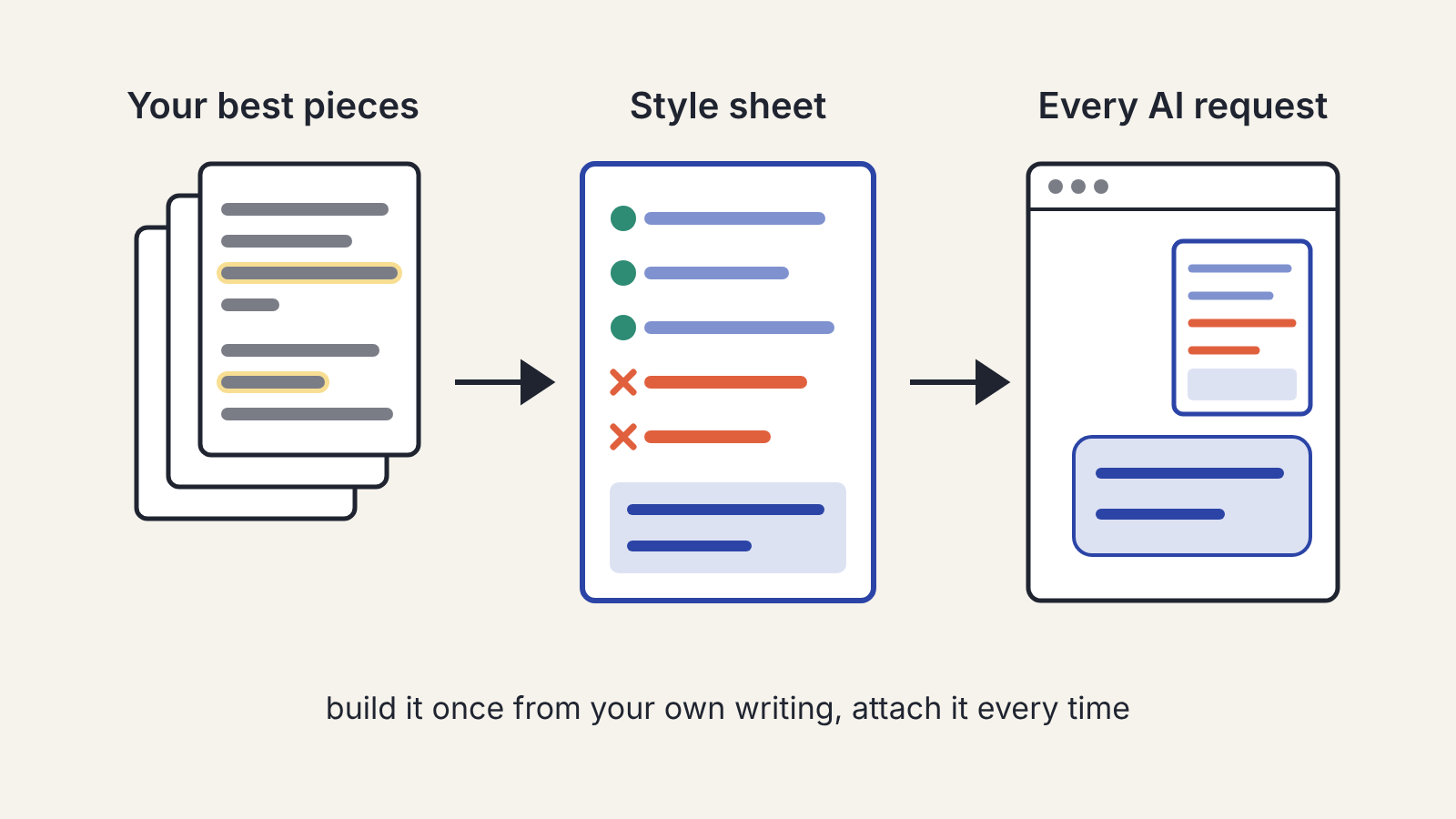
A personal style sheet is one page that describes how you write: your sentence habits, the words you use and the ones you never would, how firmly you state opinions, and a short sample of your own prose. You build it once from your best work, then paste it into every request you make to an AI assistant. The assistant still won't write like you, but its suggestions land much closer, and you spend your editing time on the argument instead of undoing a stranger's tone.
Most writers skip this step because they think of voice as a feeling. It isn't. Voice is a set of habits you can list, and anything you can list you can hand to a tool.
Why a style sheet beats "make it sound like me"
Ask an assistant to "write in my voice" and it has nothing to go on except the request itself. It falls back on its default register: even sentences, cautious claims, a tidy closing line on every paragraph. Give it the same request with a page that says "short paragraphs, one-line paragraphs allowed, I use 'you' constantly, I never say 'utilise', I state opinions flatly", and it has something concrete to follow.
The sheet also helps you. When you edit a draft later, you check it against a written standard rather than a vague sense of "better". Editing an AI-assisted draft so it still sounds like you walks through that editing in three passes; the style sheet is the reference you keep open while you do it.
Step 1: Pick your three best pieces
Choose two or three things you wrote without help and still like. They should be the kind of writing you want more of: if you mostly write newsletters, pick newsletters, not your thesis. Recent work is better than old work, because voices drift.
Print them or open them side by side. You are about to read them as an outsider would.
Step 2: Read for habits, not quality
Go through each piece with a pen or a highlighter and mark what you do, not whether it's good. Look for patterns that appear in all three:
- Sentence length: Do you mix very short sentences with long ones? Do you start sentences with "And" or "But"?
- Paragraph shape: How long is a typical paragraph? Do you ever let a single line stand alone?
- Who is in the room: Do you write "I"? Do you talk to the reader as "you"? Do you use "we"?
- Openings: Do you start with a claim, a scene, a number, a short story?
- Stance: How strongly do you state opinions? Do you hedge, or commit and explain?
- Pet words and banned words: Which words do you reach for often? Which common words would you never use?
You will notice things you didn't know about yourself. That is the point of the exercise.
Step 3: Write the sheet
Turn the patterns into short, plain instructions. Keep the whole thing to one page; an assistant follows a short list more reliably than a long essay, and so do you.
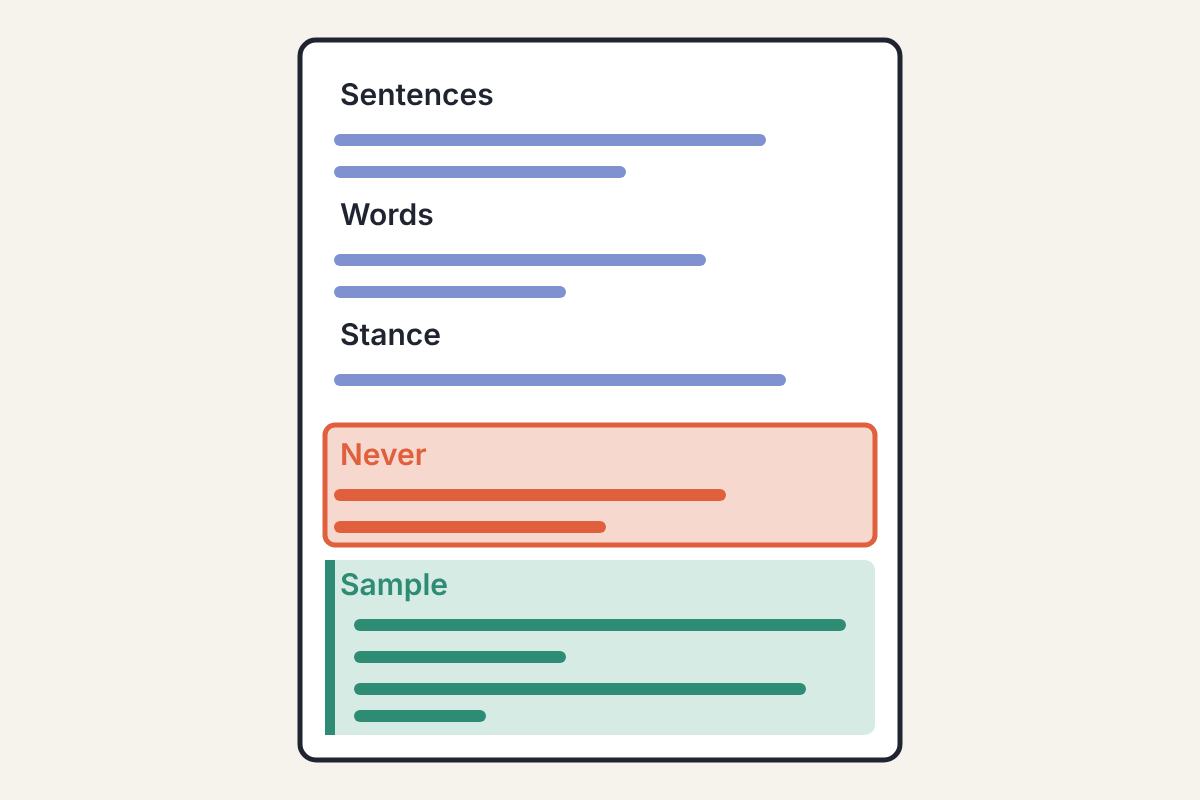
A sheet that works usually has five parts:
- Sentences. "Mostly short. One long sentence per paragraph at most. Fragments are fine for emphasis."
- Words. Your usual expressions, how you refer to your readers, whether you use contractions, British or American spelling.
- Stance. "State opinions directly. If unsure, say what I'm unsure about instead of hedging every line."
- Never. The words, phrases and moves you don't make. Be specific: "no rhetorical questions answered in the next line", "no summary paragraph at the end", "no exclamation marks".
- Sample. One paragraph of your own writing, pasted exactly. It shows what the rules above produce together.
Write each rule as an instruction the assistant can act on. "Be punchy" is a mood. "No paragraph longer than four sentences" is a rule.
Step 4: Attach it to every request
Save the sheet where you can paste it in two seconds: a text snippet, a pinned note, or the custom instructions or project settings your assistant offers, if it has them. Then make it part of every editing or drafting request, along with a narrow job:
- "Using my style sheet, mark the sentences in this section that don't sound like me. Don't rewrite them."
- "Using my style sheet, suggest three shorter ways to say this paragraph."
- "Check this draft against the Never list and quote every line that breaks it."
Notice that none of these ask the assistant to rewrite the whole piece. A style sheet narrows the gap between its writing and yours; it doesn't close it. Pointing at problems and offering options for one sentence at a time keeps the final wording in your hands.
The same goes for planning. If you build outlines with an assistant, paste the sheet there too, so the structure it suggests matches how you like to build an argument. Outlining with an AI assistant while keeping your own angle covers that stage.
Step 5: Test it on a paragraph you already wrote
Before you trust the sheet, test it. Take a paragraph you wrote yourself, ask the assistant to make a small change to it using the sheet (shorten it, or swap one example), and compare the result with your original.
If the result has habits you don't have, your sheet is missing a rule. Add it to the Never list. If the result lost something you do have, such as a one-line paragraph or a dry aside, add that to the Sentences or Words block. Two or three rounds of this usually get the sheet into shape.
Keep it current
Your voice will change, and so will the kind of writing you do. Look at the sheet every few months, or whenever you start a new kind of project. A sheet for blog posts may need a sister sheet for client reports, where you're allowed fewer jokes and more caveats. On a book or thesis, keep the sheet inside the project itself: a project-style writing app for long work usually has room for notes next to the chapters.
It's also worth keeping a short log of the words and phrases you keep deleting from AI suggestions. Anything you cut three times belongs on the Never list.
What the sheet can't do
A style sheet shapes tone, word choice and rhythm. It does nothing for accuracy. A suggestion that sounds exactly like you can still contain a wrong date or an invented source, and now that error reads as yours. Keep checking every fact the assistant adds; our routine for checking what an AI assistant tells you takes a few minutes per claim.
It also can't supply what makes your writing worth reading in the first place: the example from your own work, the opinion you hold, the detail you noticed. Those come from you, and the sheet's job is to make sure the tools around them don't drown them out.
