How to Turn an Interview Transcript Into an Article Without Misquoting Anyone
Use the AI transcript as a map of the recording, not the record. Let an assistant find themes and timestamps, then check every quote against the audio word for word before it reaches your draft.
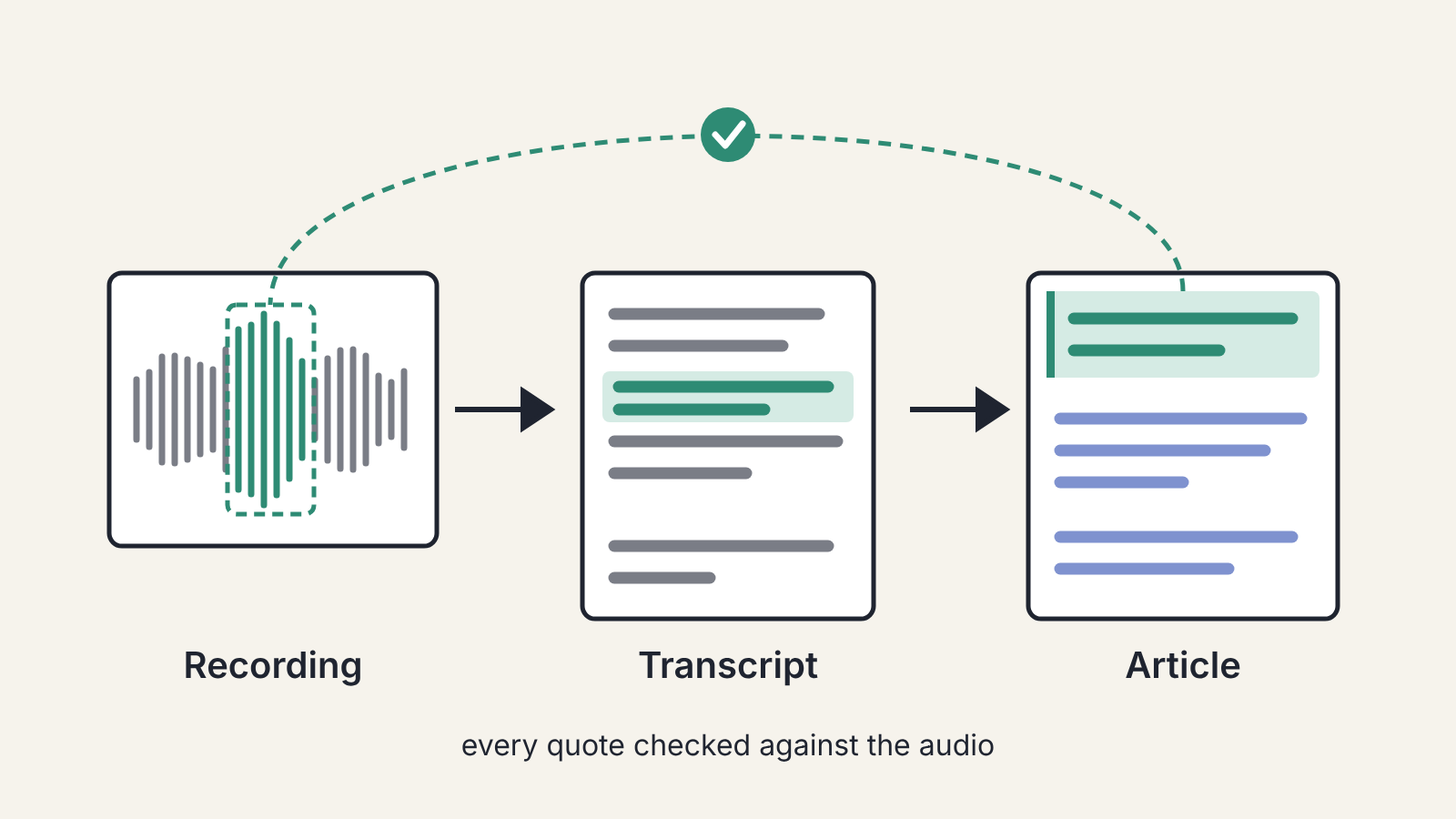
To turn an interview into an article without misquoting anyone, treat the AI transcript as a map of the recording, not the record itself. Use it to find the good parts fast, then check every line you plan to put in quotation marks against the audio, word for word, before it goes into your draft. Everything else in the piece can be summarised in your own words, and should be.
Automatic transcription has made interviews far cheaper to work with. An hour of conversation becomes searchable text in minutes, and an assistant can pull out themes and candidate quotes almost instantly. The risk sits in exactly that speed: a transcript that reads smoothly feels finished, and a quote an assistant "pulled" may have been tidied, merged or partly invented on the way.
Before the interview: set yourself up to check later
Checking a quote is only possible if the recording is good and you can find your place in it.
- Ask permission to record, and get the yes on the recording itself. Rules on recording conversations differ between countries and states, so if you're unsure what applies to you and the person you're talking to, find out before the call.
- Record locally as a backup if you're using a video call tool, and test the audio for a minute first. A transcript of a muffled recording is mostly guesswork.
- Ask people to spell their names, job titles and any product or place names they mention. Transcription tools get these wrong more than anything else, and the spelling on tape settles it.
- Note the clock time when something strong is said. A scribbled "14:20, the bit about the night shift" saves you a search later.
Step 1: Transcribe, then skim it against the audio
Run the recording through your transcription tool and keep the timestamps switched on. If you haven't settled on one, test a few transcription tools on your own recordings first. Then do one fast pass with the audio playing at a higher speed, eyes on the text. You're not correcting everything. You're marking the stretches where the transcript has clearly gone wrong: names, numbers, technical terms, crosstalk, and anywhere the speaker's accent or a noisy room tripped the tool up.
Fix names and numbers as you go. Leave the rest flagged.
Step 2: Use the assistant to map the material
An hour-long transcript can run to many thousands of words. This is where an assistant earns its keep, as long as you give it jobs that point you back to the transcript instead of replacing it:
- "List the main topics the interviewee talks about, with the timestamp where each starts."
- "Find every place they tell a specific story or give an example. Give me the timestamp and the first few words."
- "Where do they disagree with the interviewer or change their mind?"
Every answer should come back with a timestamp you can jump to. Don't ask the assistant to "give me the best quotes". It will hand you clean, quotable sentences, and some of them will be smoother than anything the person said, because the model is completing patterns rather than copying text. You can't tell which by reading them.
Step 3: Build the outline from your own angle
Decide what the piece is about before you choose a single quote. The interview gives you material; it doesn't give you a structure. Write down the one thing a reader should take away, then arrange the topics from Step 2 under it.
If you plan with an assistant, the same rules apply as for any article: bring your angle and use its suggestions as a list to choose from. Outlining with an AI assistant while keeping your own angle goes through that process.
Step 4: Check every quote against the audio
Now pick the lines you want in quotation marks, and for each one go to its timestamp and listen. Compare word by word. This is slow, and it is the step that matters.
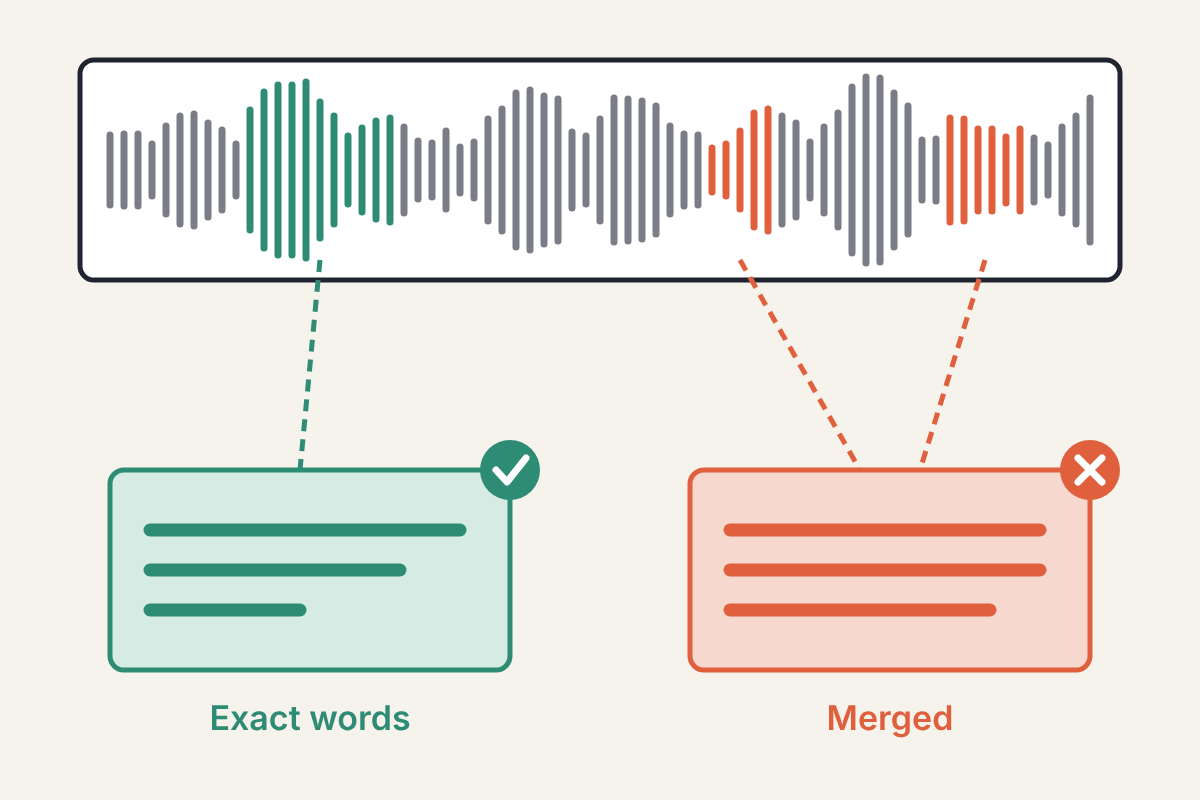
Typical problems you'll find:
- Words the tool misheard, especially short ones that flip the meaning ("can" and "can't" are a classic).
- Two separate remarks run together into one sentence.
- Filler, false starts and repetitions silently removed, sometimes along with a qualifier that mattered.
- A sentence the assistant reworded while "extracting" it.
Light trimming of ums and repeated words is standard practice in many publications, but it must never change what the person meant. If you cut words from the middle of a quote, show it with an ellipsis or rewrite the passage as a paraphrase. When the exact wording is a mess and the point is good, paraphrase: "She said the night shift was where most of the errors turned up" is honest. A cleaned-up sentence in quotation marks that she never said isn't.
Keep a note next to each quote of its timestamp in the recording. If anyone questions it later, you can find it in seconds.
Step 5: Write the piece in your words
With the quotes verified, write the article. Most of it should be you: explaining, connecting, giving context. Quotes work best when they carry something only the interviewee can say, such as an opinion, a memory or a turn of phrase, not when they deliver plain facts you could state yourself.
If you used an assistant for a rough draft of some sections, edit it the way you would any AI-assisted draft. Making an AI-assisted draft sound like you covers the three passes, and if you keep a personal style sheet for AI edits, attach it to those requests. Before it goes out, listen to the finished draft read aloud: it catches the doubled and missing words a tired eye skips.
Step 6: Check the facts the interviewee gave you
People in interviews get dates, figures and names wrong, just as transcripts do. A number said confidently on tape is still a claim, not a fact. Check anything you present as true, as opposed to something you clearly attribute as their view. Our routine for checking AI-supplied facts works just as well for facts from a person: trace it to an original source, confirm it says that, then keep, rewrite or cut.
Keep the files
Store the recording, the corrected transcript and your quote list with timestamps together, under the article's name. You'll want them if an editor asks how you know something, if the interviewee disputes a line, or if you come back to the same person for a follow-up. A transcript without its recording proves nothing, so keep the audio for as long as the piece is online.
